Modern employment admin moves faster when official records live on secure, mobile-first platforms. Issuing the digital work card on a smartphone connects contracts, benefits, and updates to a single source of truth.
Brazil’s CTPS Digital replaces paper, integrates with eSocial, and uses gov.br login for authentication. Clear steps, accurate data, and careful security habits keep issuance smooth and records synchronized.


What The Digital Work Card Is
Brazil’s Carteira de Trabalho e Previdência Social evolved into a secure, app-based identity for formal employment. The app launched in 2017 and became the standard after regulation in September 2019 across new contracts.
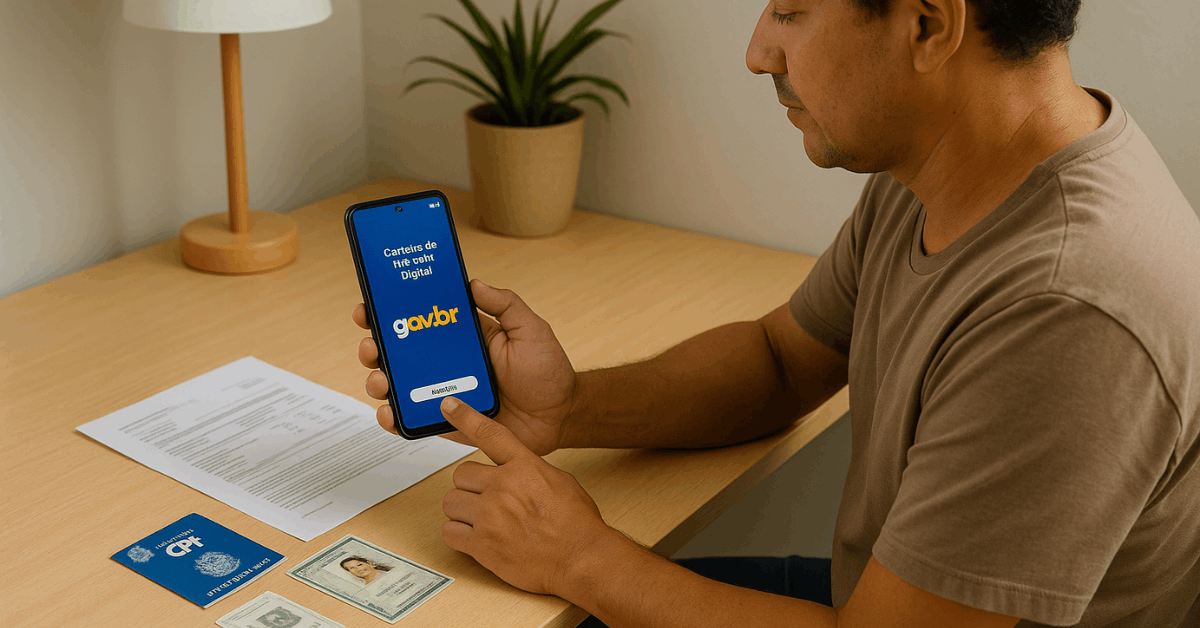
Employers transmit data through official systems, which populate the card without manual stampings or paper annotations. Workers view contracts, salary adjustments, vacation notes, and separations in real time inside the application.
Easier Presentation
Digitization reduces bottlenecks and introduces consistent, machine-readable data for audits and benefit eligibility checks. Records gain reliability because timestamps, employer identifiers, and standardized fields limit interpretation errors.
The approach also supports portability, allowing workers to present verified information across different employers quickly. Convenience grows while bureaucratic risks shrink due to centralized verification processes and synchronized databases.
Why The Digital Work Card Matters
Better data quality protects rights by aligning working histories with formal obligations and benefits. Automated updates reduce disputes regarding dates, roles, and salary movements over time.
Immediate access encourages timely corrections when mismatches appear between payroll and registered roles. Stronger transparency ultimately supports compliance culture and fewer administrative delays for everyone involved.
Better Hiring
Efficient hiring helps employers onboard quickly while meeting regulatory reporting timelines precisely. Standardized fields remove ambiguity and eliminate redundant entries across overlapping systems.
Compliance checks become easier because official registries and the card share canonical information. Verification then becomes faster for credit, benefits, and future employment transitions as careers progress.
Legal Basis And Core Systems
The digital model relies on federal frameworks administered through the Brazil Ministry of Labor portal and related platforms. Authentication and identity proofing occur through gov.br account setup, which governs secure access.
Employers submit labor, tax, and social security data via eSocial, then records sync to the card. Those eSocial integration steps ensure single-entry reporting and reduce inconsistent, duplicative submissions substantially.
Replacement of the Physical Booklet
Brazil formalized replacement of the physical booklet for new contracts as electronic records matured. Existing histories continue to display digitally while specific legacy cases may still reference paper.
Workers retain the ability to present historical documents when older contracts were never migrated. Employers must adhere to schedules and schemas published through official technical documentation and circulars.
How To Issue The Digital Work Card Online
A short, structured flow prevents common mistakes and ensures rapid activation across devices and regions.
Completion requires identity verification, accurate personal data, and working credentials for official services. Keep documents nearby so data entries match government registries without typographical discrepancies or omissions.
Step 1: Install The Official Application
Open your device’s store and search for CTPS Digital app or its official naming. Confirm developer attribution to federal government teams before downloading and installing the package.
Avoid similarly named clones because untrusted apps can harvest personal or credential information. Enable automatic updates so security patches and compatibility improvements arrive without delays.
Step 2: Create Or Confirm gov.br Credentials
Launch the application and proceed to gov.br account setup using the guided login screen. Existing users enter CPF, continue, and complete password and consent prompts for access.
New users create accounts, validate identity, and return to the card app afterward. Multi-factor prompts should be completed promptly to avoid session timeouts during onboarding.
Step 3: Verify Personal Data Carefully
Confirm legal name, date of birth, and CPF against official documents to ensure accuracy. Correct any outdated fields before proceeding so issuance avoids validation flags or denials.
Many mismatches trace to address formatting, name accents, or legacy registry typos. Resolving discrepancies early prevents later contract or benefit synchronization issues effectively.
Step 4: Confirm Card Details And Generate Access
Complete the flow and allow the system to generate the digital work card automatically.
The virtual card appears in the app, reflecting core identifiers and recent entries. Employers will reference the card during hiring, updates, and separation procedures officially.
No paper handling is required for new contracts after card activation in supported contexts.
Required Fields And Data Accuracy
Clear mapping of fields avoids rejections, mislinks, and time-consuming manual corrections post-issuance. Brazilian guidance ties specific card identifiers to portions of the CPF for compatibility.
Accurate transcription ensures systems recognize the holder consistently across employer filings. The quick table below summarizes the most common entry expectations during setup.
Field Mapping For Brazilian Entries
Several platforms display “Card Number” and “Card Series,” which rely on CPF digits. Consistency matters because employers and public systems validate against those exact patterns.
Entering numbers precisely as shown prevents mismatches when records synchronize across databases. Keep the CPF document visible while typing to eliminate small but consequential mistakes.
| Field Name | What To Enter | Notes For Accuracy |
| Full Name | Legal name exactly as on documents | Preserve accents, hyphens, and spacing consistently |
| Card Number | First 7 digits of CPF | Enter sequentially without punctuation |
| Card Series | Last 4 digits of CPF | Confirm digits carefully before saving |
| CPF | Full CPF number | Use official formatting where requested |
| Date Of Birth | As on government ID | Match day, month, and year precisely |
Using The App Day To Day
Home screens typically surface the three most recent employment movements for easy monitoring. Detailed views cover contracts, roles, salary changes, vacation notes, and termination data.
Notifications alert when employers submit new information so timelines stay transparent and current. Records remain available on demand for admissions, credit applications, and benefits verification when needed.
Benefit integrations reduce office visits because eligibility and balances appear within the secure interface. Connections to unemployment insurance and FGTS simplify follow-up actions during transitions or claims.
Common Problems And Fast Solutions
Technical friction often stems from passwords, outdated devices, or registry mismatches at login. Treat issues methodically and escalate to official support channels when automated fixes fail.
The table centralizes frequent symptoms with pragmatic steps that resolve most cases. Keep device storage, connectivity, and the app’s version continuously up to date.
Troubleshooting Cheatsheet
Standard remedies address credential hiccups, stale caches, and inconsistent personal data across systems. The steps below are concise for quick reference, helping to avoid unnecessary reinstalls repeatedly.
Apply one fix at a time and retest to isolate the successful remedy. Persistent failures justify formal tickets through official service channels described in-app.
| Symptom | Likely Cause | Quick Fix |
| gov.br login error | Password out of date | Reset password and re-enable MFA before retrying |
| Missing past contracts | Legacy records not migrated | Request manual review through official support channels |
| Data mismatch warnings | Name or CPF inconsistency | Update registries so entries match exactly |
| App crashes on open | Outdated app or OS | Update app and OS, then clear cache and relaunch |
| No notifications received | Disabled permissions | Enable notifications and background refresh in system settings |
Employer Responsibilities And Compliance
Employers must register new hires, contract updates, and separations within the required timeframes. Records transmit through eSocial and appear promptly on the digital work card holders’ devices.
Alignment with declared schedules and roles limits disputes and streamlines inspections effectively. Internal audits should confirm filings, timestamps, and identifiers match payroll and HR systems.
Compliance
Compliance audits evaluate completeness, timeliness, and accuracy of submissions across reporting obligations. Strong processes demonstrate Digital Work Card compliance and reduce regulatory exposure significantly.
Training HR staff on schemas, deadlines, and correction procedures prevents repetitive mistakes. Monitoring dashboards for failed transmissions or validation errors keeps data clean continuously.
Security, Privacy, And Documentation Tips
Strong credentials protect identity and records that power contracts, benefits, and career verification.
- Complex passwords and multi-factor authentication reduce risks from phishing or credential stuffing.
- Regular updates for the app and operating system patch known vulnerabilities promptly.
- Devices should be locked with biometrics where supported for stronger front-door protection.
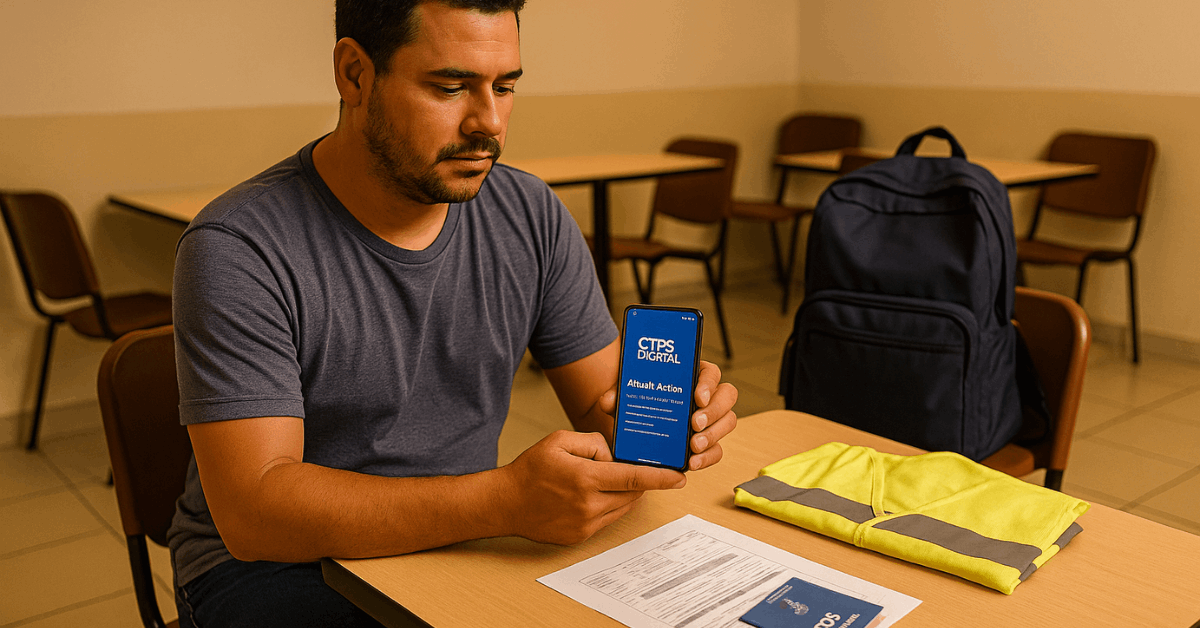
- Careful image capture proves identity when employers request screenshots during admissions or onboarding.
- Full-screen shots should show legal name, CPF, and government issuer branding clearly.
- Good lighting, sharp focus, and no obstructions produce verifiable images for HR validation.
- Sensitive data should never be shared through unofficial channels or unencrypted messengers anywhere.
Practical Notes For Image Quality And Submissions
Proof documents land best when submission quality allows quick, confident acceptance by HR teams.
- Screens featuring personal data and the issuer’s logo satisfy basic verification expectations widely.
- Entire screens should appear within frames without cropping essential headers or footers.
- Clean images reduce rework and accelerate admissions during hiring peaks or seasonal ramps.
- Worked examples teach good hygiene for remote submissions that employers often require today.
- A neutral background prevents glare that hides identifiers or distorts QR codes severely.
- Close shots must remain legible while avoiding reflections across glossy displays temporarily.
- Extra checks matter because resubmissions can delay contract activation unnecessarily during busy periods.
Conclusion
Digitization turned scattered papers into a single, auditable record accessible from any supported smartphone. Issuing the digital work card secures contracts, benefits, and updates under reliable, synchronized systems.
Clear steps, accurate entries, and vigilant security habits keep data consistent across employers. Adoption today pays dividends through faster hiring, fewer disputes, and trustworthy career histories.